
Create a new GDPR processing activity starting from a name and, optionally, a description (written by you or generated by GènIA). Get keyword suggestions (also savable and reloadable), preview the results, and import only the elements you want to confirm.
AI speeds up the work; final review and validation always remain the responsibility of DPOs and consultants.
Guided input
Name + Optional Description (manual or generated by GènIA).
AI Suggestions
Search for related processing activities using keywords, with the ability to save and reload suggestions in future sessions.
Selective preview
View cards by areas and import only relevant elements into the project.
The feature is designed to reduce repetitive work when creating processing activities and increase the consistency of the Register.
Quickly start new processing activities while maintaining a structured review and consistent terminology across clients and organizational units.
Reduce manual data entry and focus your time on verification, adaptation, and client support.
Standardize the construction of processing activities in contexts with multiple departments, processes, and applications.
A guided path from the definition of the processing activity to its import into the Privacy Evo project.
The name is the minimum starting point to begin the process. You can use it alone or enrich it with a description.
If you want a result closer to the real context, enter a detailed description of the processing activity. If the description is present, it is used as the primary input for the analysis.
With GènIA you can automatically generate a description starting from the name or search for related processing activities using keywords. The suggestion results can be saved and reloaded later to start analyses on different processing activities.
GènIA structures the information by areas (e.g., data processed, purposes, data subjects, collection, lifecycles, transfers, locations, assets) in a manner consistent with the GDPR project.
The "Select elements" window allows you to review the cards, delete irrelevant/duplicate items, and restore them if necessary before saving.
Confirm the desired elements and import the processing activity into the "Processing Activities" section of the project, ready for final checks and subsequent links.
The "Suggestions" window allows not only searching by keywords but also managing results over time: you can save obtained suggestions and reload them in future sessions to start analyzing different processing activities more quickly, maintaining terminological consistency between similar cases.
The goal of the feature is to speed up structuring, not to replace the professional's work: generated content must always be verified, adapted, and validated based on the actual context.
A section dedicated to the main screens of the workflow: input, suggestions, and element selection.
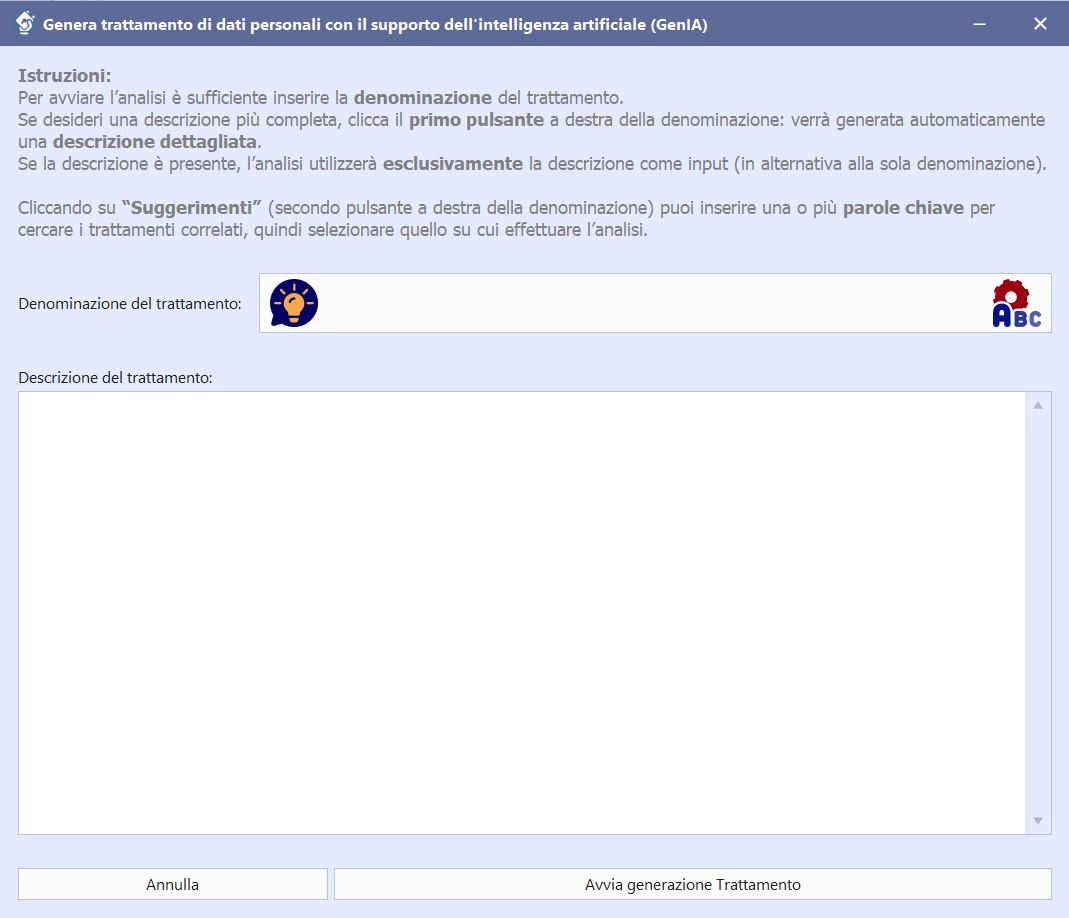
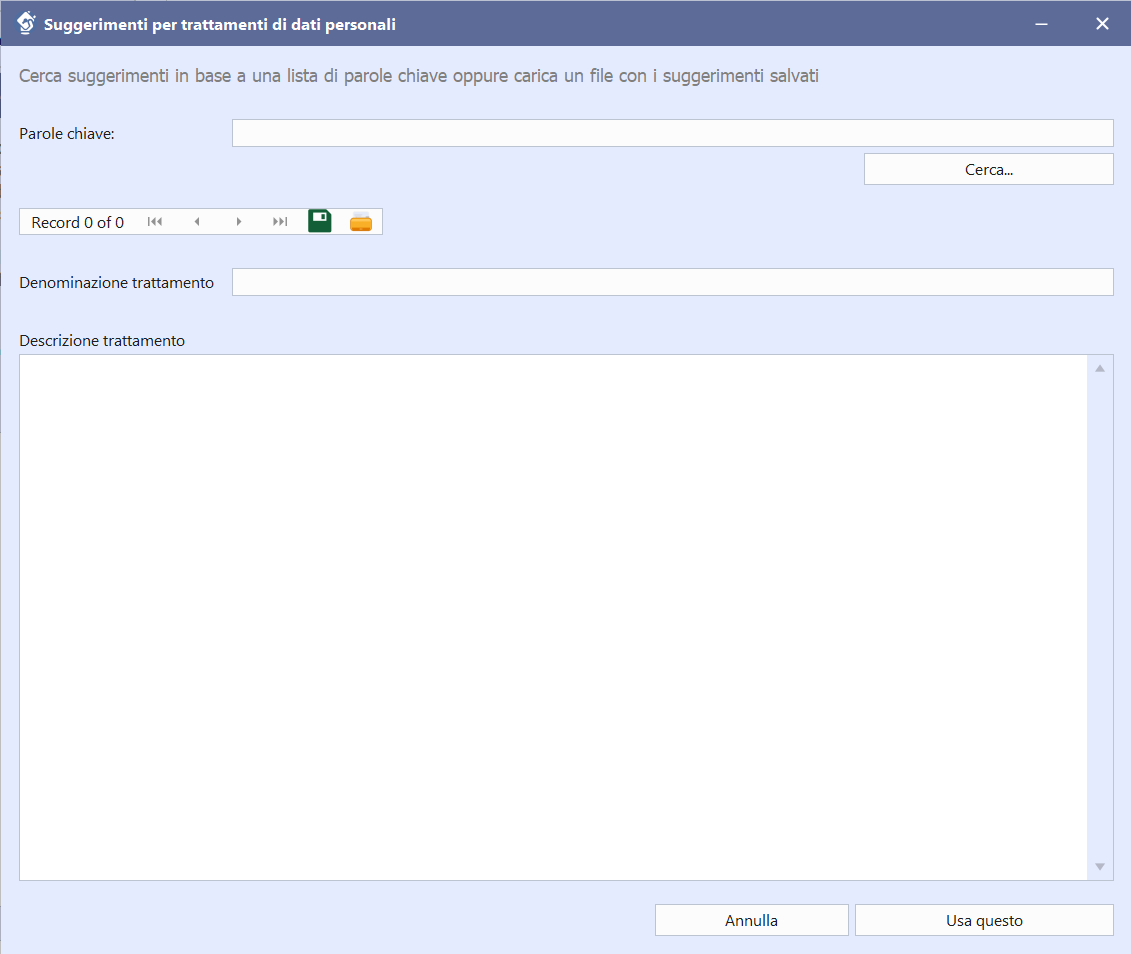
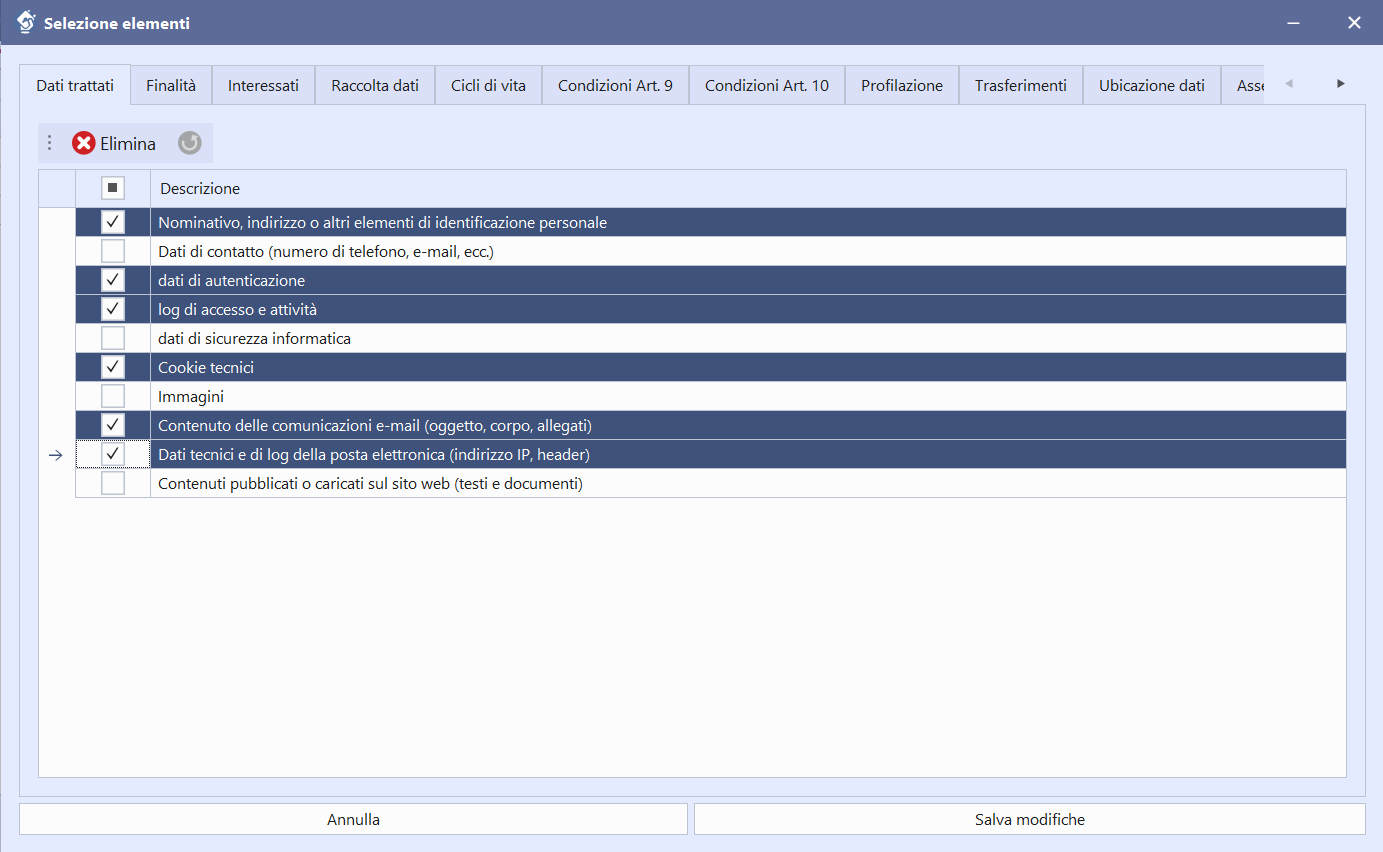
The same principles adopted in other Global Analysis features apply to consumption: clarity before starting and control by the professional.
Before generation, the system estimates the required AI requests and checks the availability of the active package.
Model selection is not available for this feature: all processing is performed with the advanced model, featuring high reasoning capabilities.
If the package is not sufficient, the system notifies you before processing, avoiding interruptions in the workflow.
Consumption depends on the type of request made (e.g., generating a description, suggestions, processing activity analysis), but for processing analysis, the information already present in the project has a significant impact, especially the operational methods to be processed and correlated.
Transparency on consumption goes hand in hand with control over content: first, you evaluate the sustainability of the request, then review and selective import allow you to maintain the quality and consistency of the final result.
Register for the March 6th presentation Webinar on Global Processing Activities Analysis with GènIA. Not available on that date? Contact us.
Frequently asked questions about Global Processing Activities Analysis with GènIA.
It starts from the name of the processing activity. You can add an extended description; if present, the description is used as the primary input.
Yes. You can use GènIA to generate a description starting from the name or use the Suggestions based on keywords. The results of the suggestions can be saved and reloaded later.
Yes. The preview window allows you to review the proposed items by area and delete irrelevant elements before saving.
No. Model selection is not available in this feature: all processing is performed using the advanced model, which has high reasoning capabilities.
The same principles as other GenIA features apply (preventive estimation and package verification), but in processing analysis, consumption largely depends on the information already present in the project, especially the operational methods to be analyzed.
No. GènIA provides structured support for compilation; review and final validation always remain the responsibility of the DPO or consultant.