
Upload company profiles, policies, registers, privacy notices, and appointment letters: GénIA analyzes the contents and guides you in creating a fast, coherent, and highly accurate project, filling in the fundamental sections within Privacy Evo.
Note: results must always be reviewed by the user before operational use.
2 models
Standard (fast, lower cost) and Advanced (deeper and more accurate).
Up to 50 documents
For each global analysis, with a file size of up to 10 MB each.
Transparent consumption
Before starting the generation, the system estimates the required AI requests.
GénIA is the Artificial Intelligence integrated into Privacy Evo: it saves you the trouble of formulating complex prompts and converts documents into structured data for your GDPR project.
Reduce time spent on manual input and repetitive checks, focusing on analysis and consulting.
Information is organized consistently across sections, using a "project" logic rather than a "document" logic.
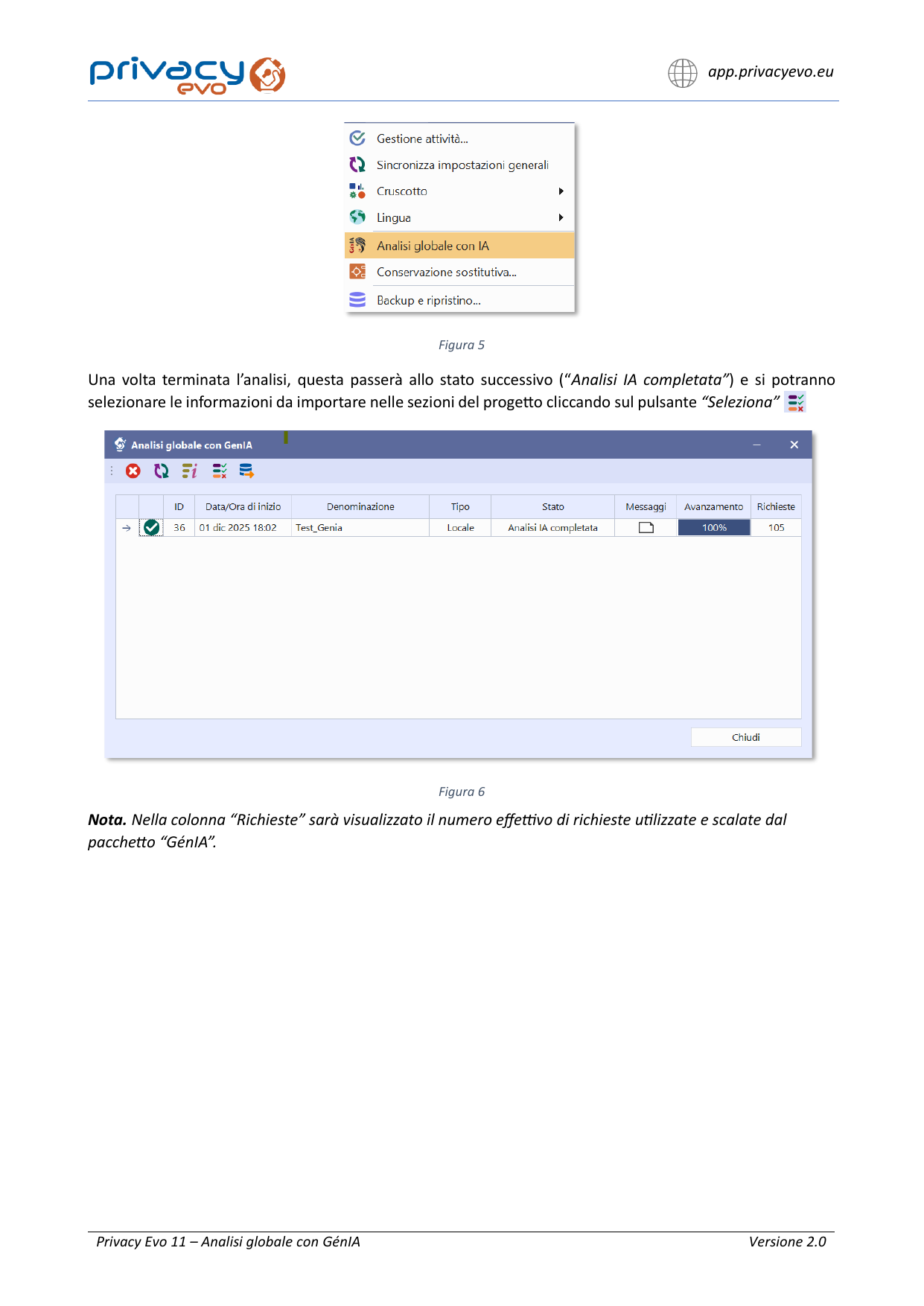
See a preview of the results and choose what to import: you always have control over the final outcome.
A simple workflow, designed to transform documents and information into project sections.
Click on "Ask GenIA" in the toolbar and set the title, language, and license version.
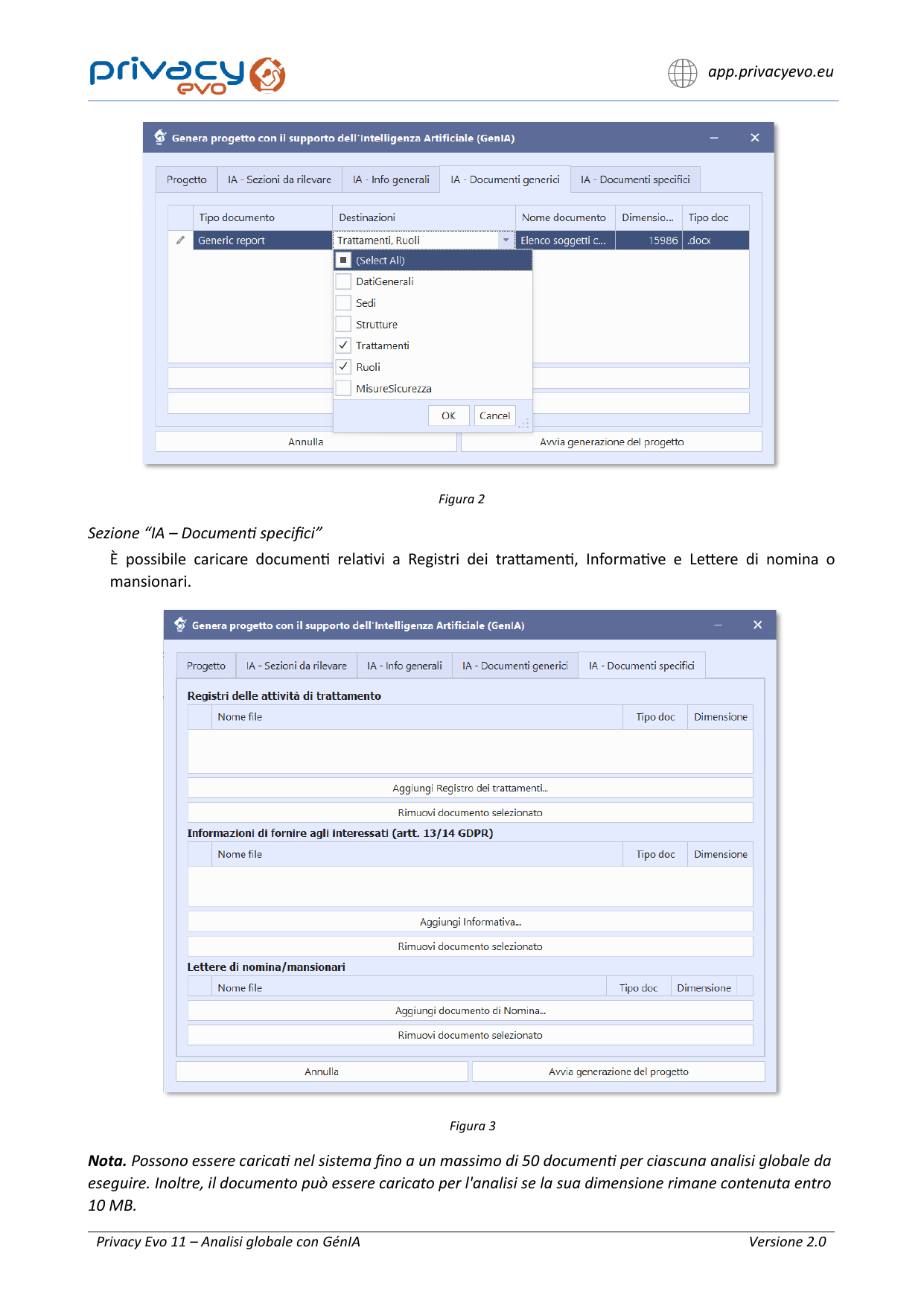
Indicate the sections to detect and the mode: Strict (only provided sources) or Extensive (integration from external sources).
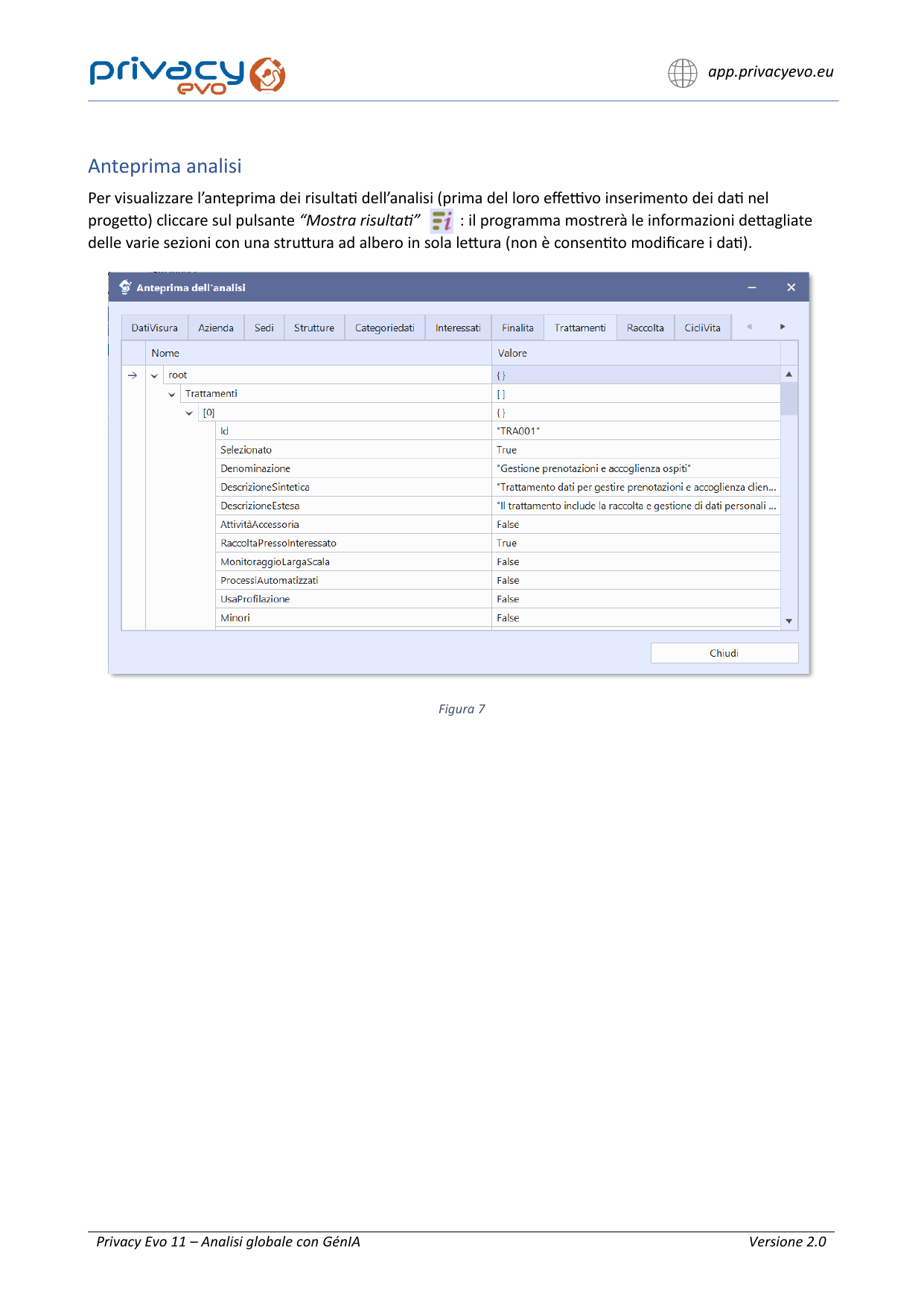
Upload company profiles and other documents (generic or specific). The system suggests the document type and destinations within the project.
Start the generation, view the preview, and import into the project only what you want. Processing is handled server-side.
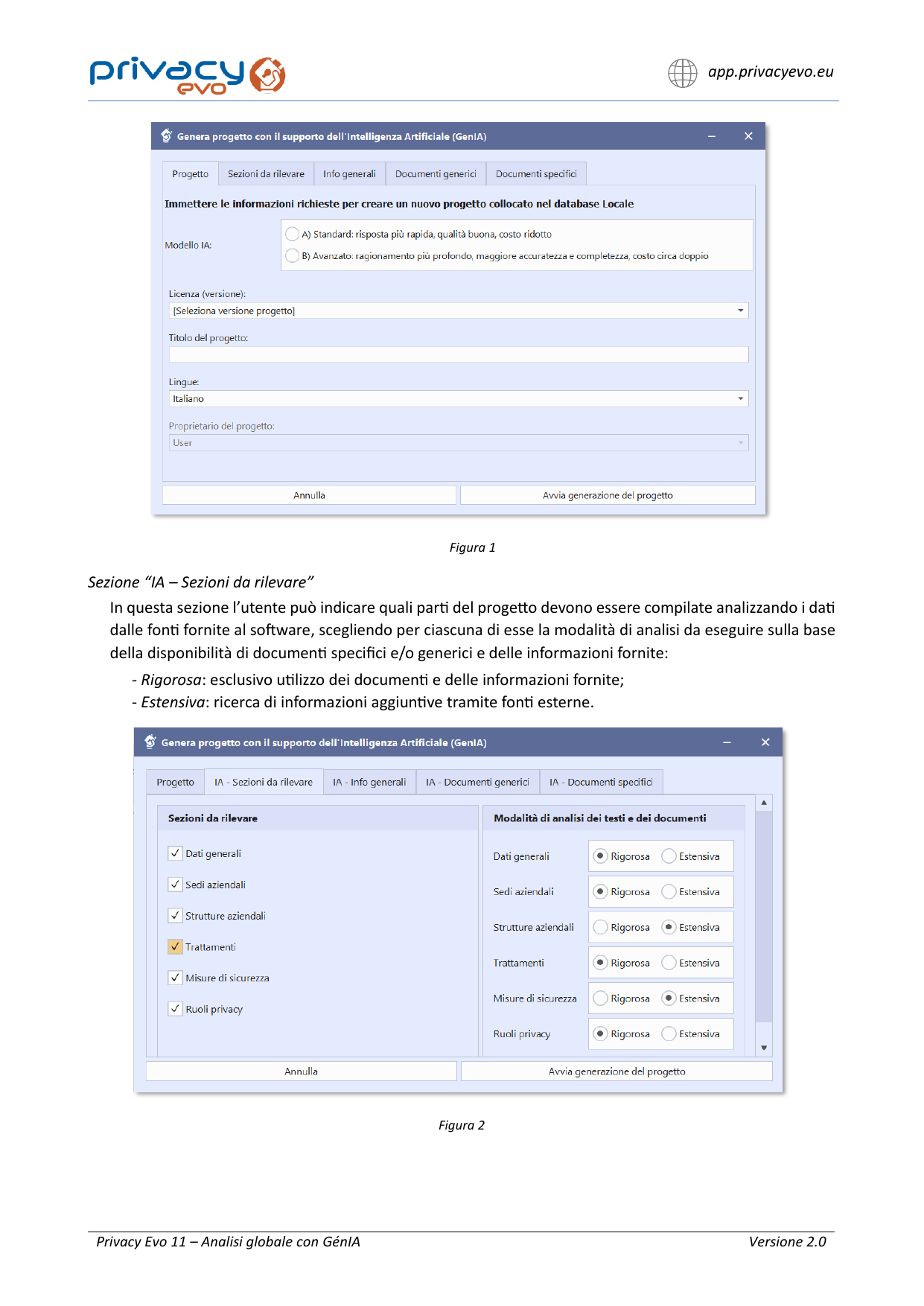
Settings and limits designed for result quality and processing continuity.
Standard: fast, basic analysis, low cost.
Advanced: more accurate and complete, deep reasoning, roughly double the cost.
Choose how GénIA fills the sections: only with provided documents and data (Strict) or including additional research (Extensive).
After processing, you can select the information to import into the project sections and complete the operation in a controlled manner.
Try Privacy Evo and discover Global Analysis with GénIA to transform documents and information into a structured, reviewable GDPR project.
Quick answers to the most common questions about Global Analysis with GénIA.
Up to 50 documents for each global analysis. Each document can be uploaded if the size remains within 10 MB.
Yes. Before generation, the system provides an estimate of the required AI requests and checks availability in your package to avoid interruptions.
Standard is faster and more cost-effective; Advanced offers a deeper and more complete analysis, at roughly double the cost.
No. The generated project must be reviewed by the user and aligned with actual activities, with any necessary modifications made prior to use.
When you don't have a company profile or want to integrate information, describe accurately: general data (name, legal form, sector/NACE code, markets, and channels), locations and facilities, processes and processing activities, roles, technical and organizational security measures. This helps GénIA generate a more accurate project.
Description guidelines